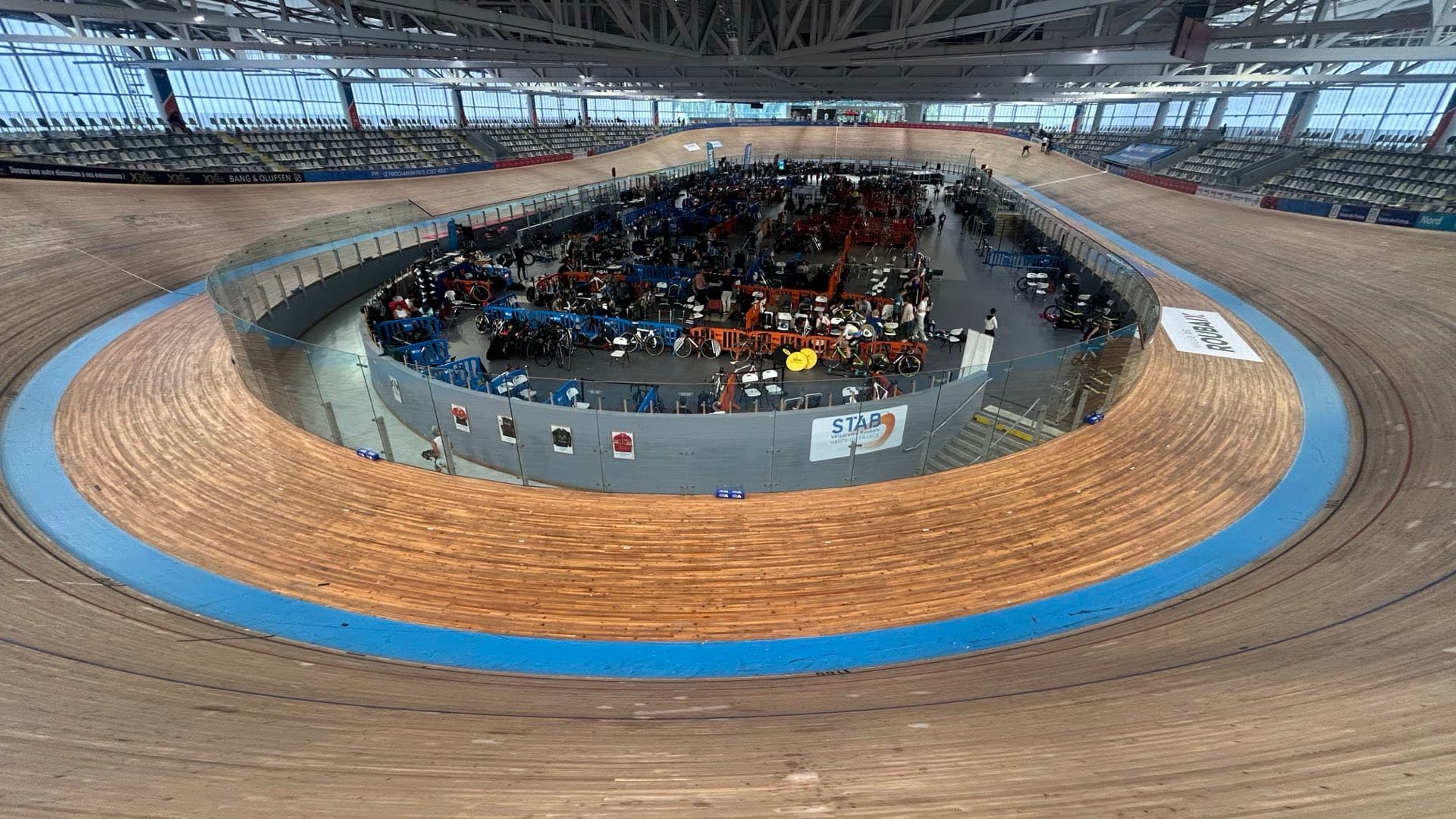
For track riders and coaches
Track Cycling Analysis App
Describe any session once as a template, find every rep on every ride, and compare them all. Plus the gear you really rode, races and velodromes that Strava and TrainingPeaks don't understand.
A free account is required. It powers your personalised analysis.
Analyse Any Session With Templates
Write the session in a few plain lines. Velocity Stack searches your ride for it, measures every rep and stores the result, so you can evaluate training from many angles and compare every template run with any other.
Describe it once
Four threshold reps of 3 minutes with 2 minutes easy between:
4x
work 3min ±30% @ 90-110%FTP
recovery 2min ±50% @ <55%FTP
Need a pursuit? work 4km @ best power finds your best 4km.
How it finds your reps
- It scans the ride’s power, heart rate, speed and distance for a work effort, then the recovery after it, repeated.
- Length must fit within your tolerance and the value inside your band.
- Back-to-back reps are preferred; otherwise each rep is placed on its own.
- You don’t need every rep: 3 of 4 reps is a valid result.
- Targets in % of FTP or lactate threshold use the values that were valid on the day of the ride, never your current ones.
Power
Targets in % of FTP, watts, W/kg, %LT1/%LT2 or zones Z1-Z6.
Heart rate, cadence, speed
Bands in bpm, % of max HR, %LT1/%LT2 heart rate, rpm or speed.
Time or distance
Size steps by minutes or by metres, e.g. your best 4km or your best 200m.
Any structure
Repeats, sets, over-unders, pyramids, ramps, warm-up and cool-down, lap splits.
Results you can compare
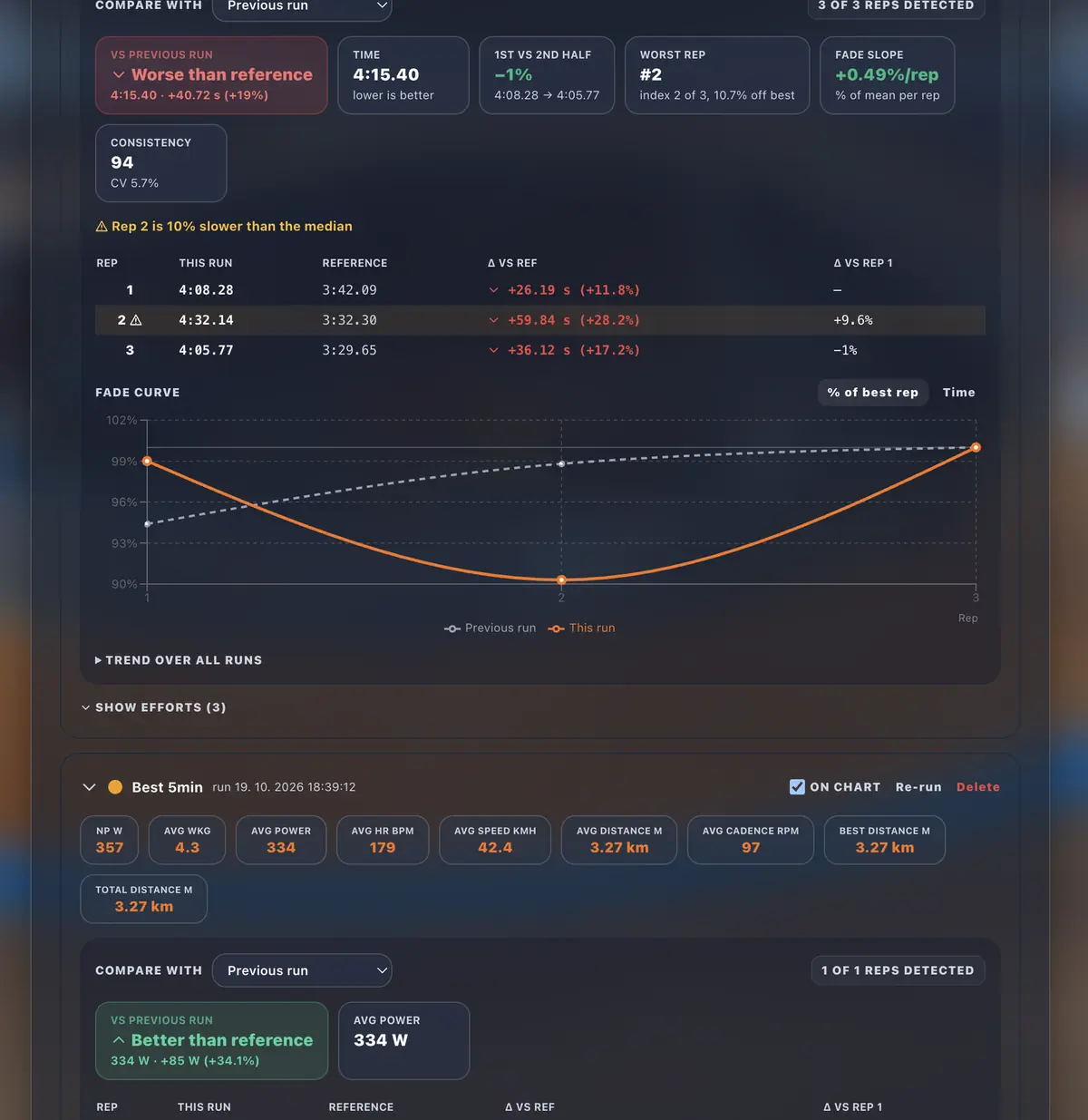
Every run is stored with each effort (rep number, average power, normalised power, % of your best rep) and a summary: first half vs second half, slope and consistency. Compare against your previous run, personal best, the median of your last 5 or any past run; the choice is remembered per template.
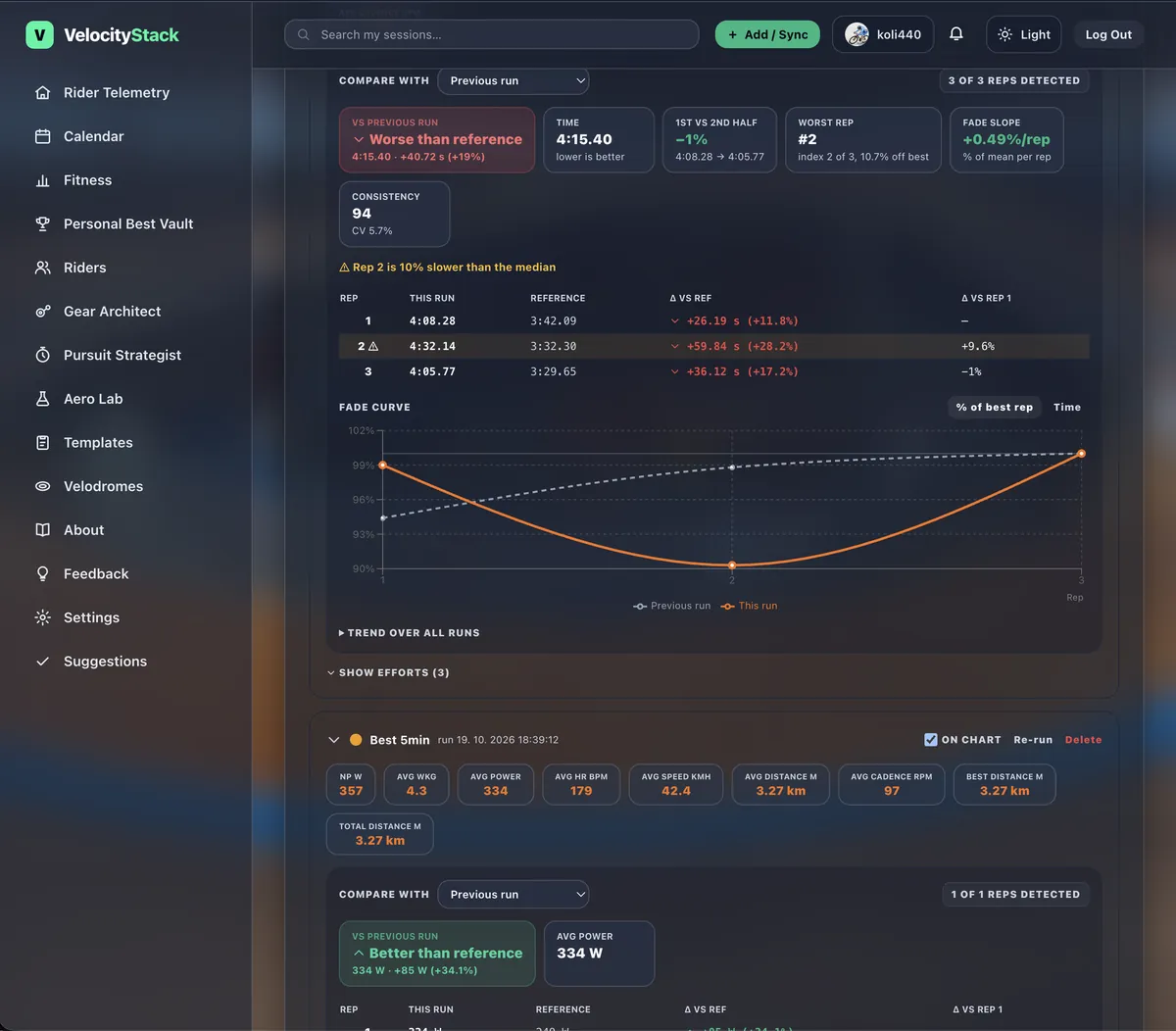
A stored run compared with the previous one: per-rep deltas and fade curve.
For riders
Run a template on a ride by hand (up to 50 rides at once) or automatically when a ride is imported. Time-trial and sprint results go straight to your PB Vault.
For coaches
Run your own or system templates on a rider’s ride. The rider sees the result and the template name, not the code behind it.
Planned workouts
A planned workout takes a copy of a template, which drives the structure chart, duration and load estimate. It can be pushed to Intervals.icu.
Gear Architect for Track
Fixed gear means gear matters. Record the chainring and cog on every ride, so your history shows what you really rode, not what you meant to ride.
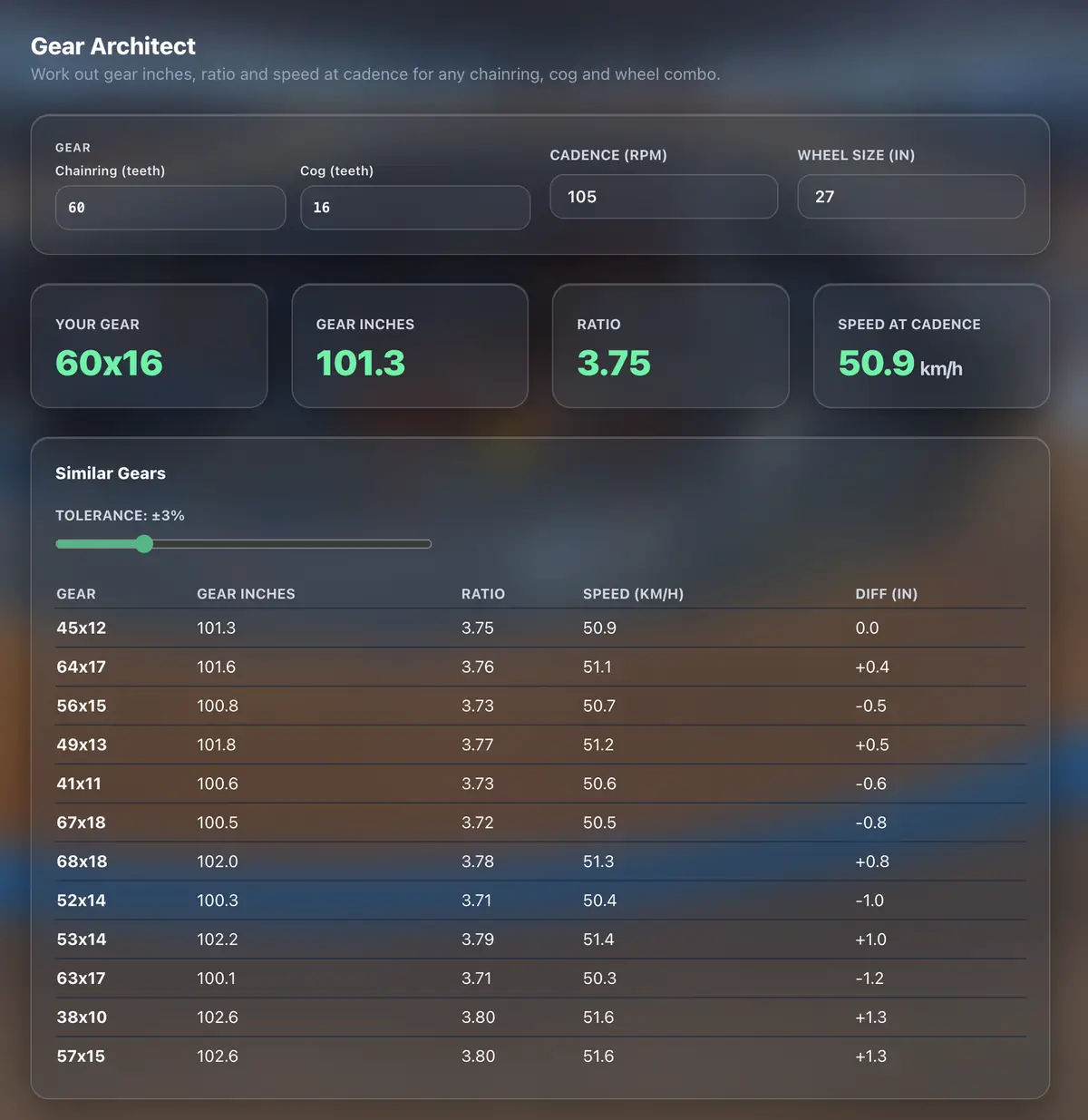
Gear per ride
Set the gear on each ride, with sensible defaults for the next one.
Race rides per gear
See which gears you raced in. Gear applies to track rides only, so a road race never counts as a gear record.
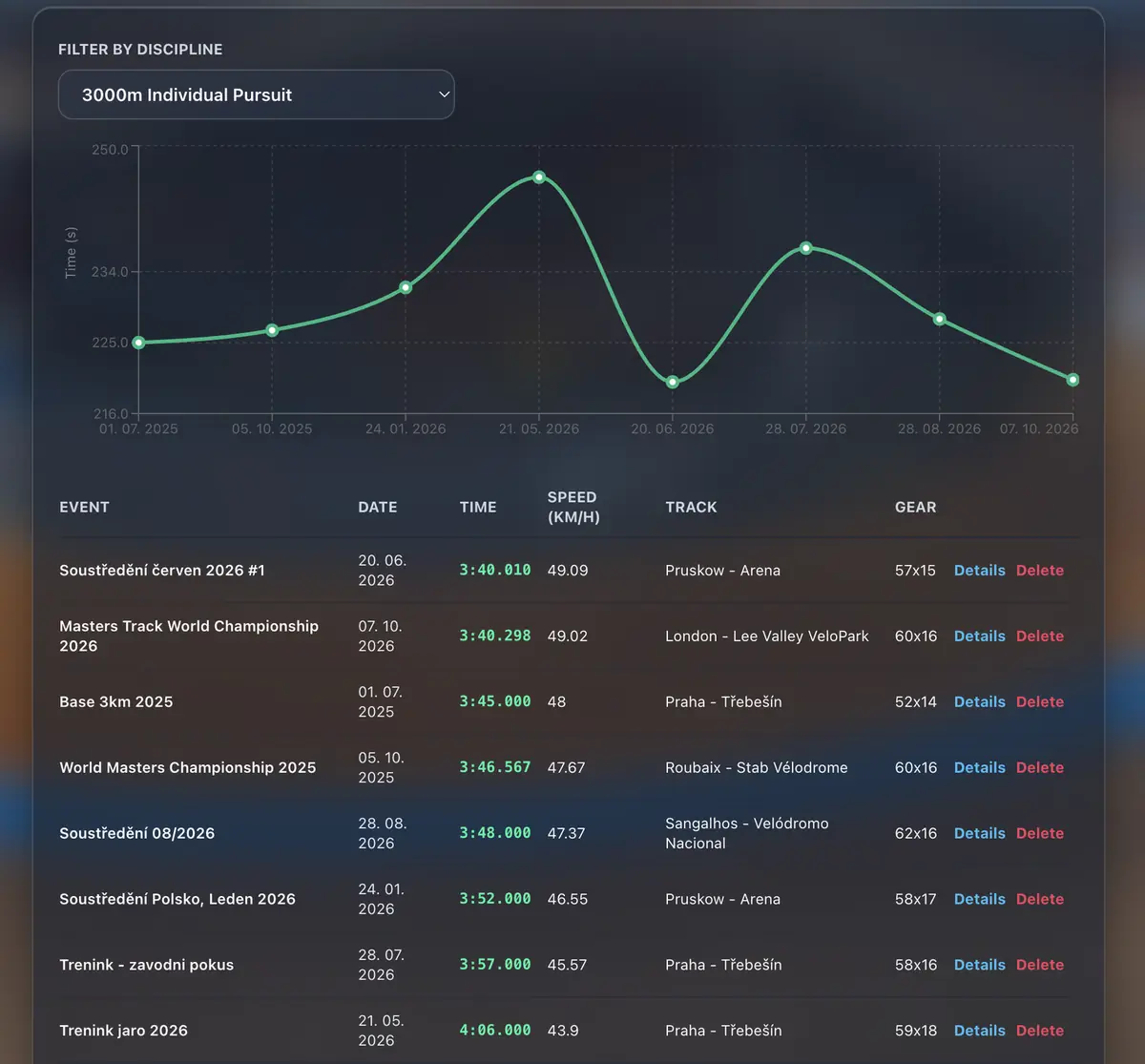
Your PB Vault
Every personal best by discipline, charted over time with the track and gear you rode.
Try the Gear Architect calculator →
Racing a pursuit? The Pursuit Strategist turns a target time into lap-by-lap splits. Both calculators work without an account; a free account unlocks your saved gear, home track and records.
Compare Reps to Your PB
Describe a session once as a template, run it on a ride and see every rep found and measured. Choose what each rep is compared to:
Previous run
Compare each rep to the last time you did the session.
Personal best
Measure every rep against your best run of that template.
Median of last 5
Use the median of your five most recent earlier runs.
Custom pick
Choose any past run as the reference.
Headline metric
Chosen for the template type: average power for intervals, time for time trials and sprints.
Spot Fade & HR Recovery
First vs second half, worst rep, slope and consistency, plus HR recovery between reps and flags on reps that stand out.
Trend chart
Watch the template's results build up over all your runs.
Run Templates on 50 Rides
Run one template across up to 50 rides in one go, so a whole block of training is analysed the same way.
See the whole ride
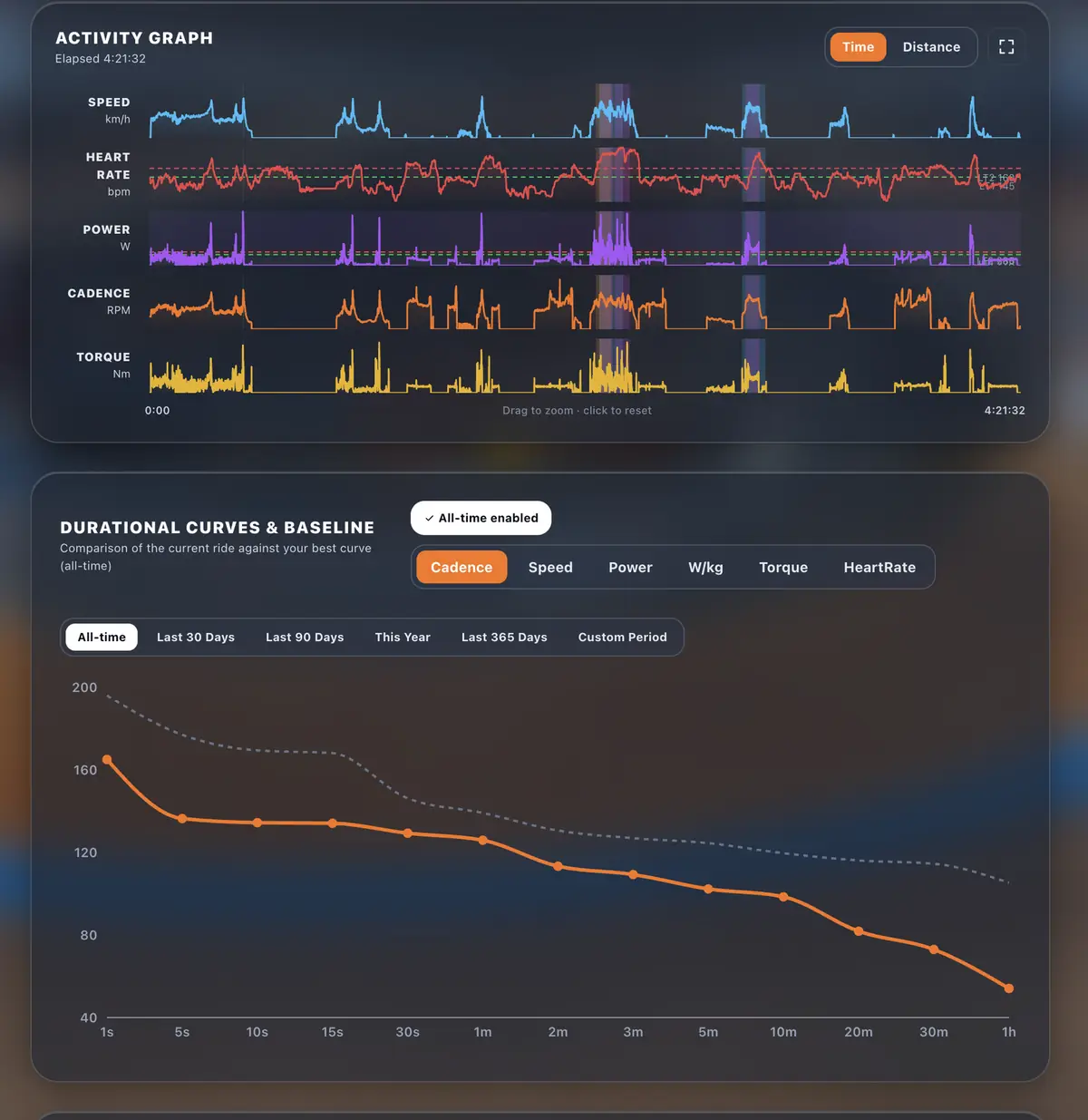
Speed, heart rate, power, cadence and torque on one zoomable graph, with durational curves that compare the ride against your best.
Velodromes directory
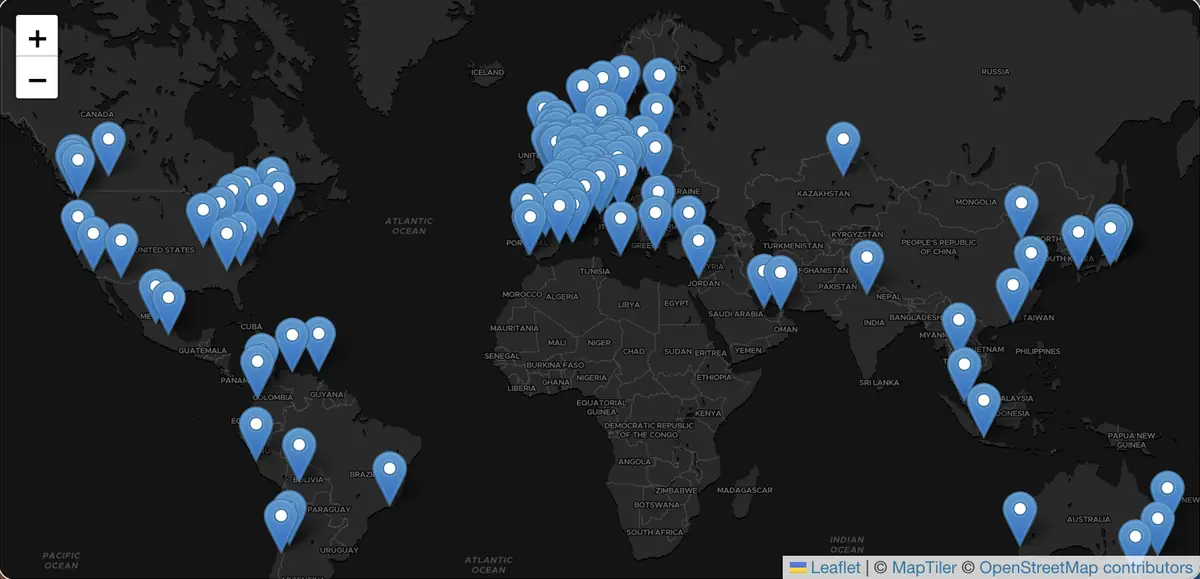
A worldwide map of banked tracks with length, surface, type and altitude.
Race tagging
Tag a ride as a race yourself, or link it to a race in your calendar and it is tagged for you. Race badges show up in the activity feed and the calendar, so racing and training stay apart in your records.
Coach Riders With Consent
Only with the rider's approval
A coach sees a rider's activities, templates, fitness and calendar only after the rider accepts. The rider can revoke access at any time.
Planned workouts link to rides
Planned workouts on the calendar are linked to the ride that completes them.
Fitness, Fatigue and Form
Training load over time, from power where available and otherwise estimated from heart rate; gym sessions are included as model estimates. Estimates are labelled as estimates.
How it works
- Step 1
Upload or import a ride
Upload FIT files or connect Garmin, Wahoo, Intervals.icu or Strava and rides sync in.
- Step 2
Tag gear and race
Record the chainring and cog you rode, and mark the ride as a race.
- Step 3
Run a template
Run a template on the ride and compare every rep to your reference.
FAQ
Who can see my rides?
You decide. Rides can be shared with other riders, and a privacy zone around home masks the map for everyone but you. Your raw GPS file and connection keys are never shared.
How does coach approval work?
A coaching relationship only starts when the rider accepts the invite (or asks for a coach themselves). A rider has one active coach at a time and can end coaching whenever they like; access stops immediately.
Which files and integrations are supported?
You can upload FIT files (including bulk import, with a help page for SRM PowerControl files). Rides also sync from Garmin, Wahoo, Intervals.icu (the bridge for Zwift and MyWhoosh) and Strava once you connect them (Garmin only sends activities recorded after you connect).
Are Fitness, Fatigue and Form exact?
No. When a ride has no power data the load is estimated from heart rate; gym sessions use a model estimate (you can exclude them in Settings). The app labels it as an estimate.
Does gear apply to road rides?
No. Gear tracking and gear records apply to track rides only.