Put Velocity Stack on your phone's home screen (it takes 20 seconds)
Velocity Stack works like an app without an app store. Here's how to add it to your home screen on iPhone and Android, and why it's worth doing.

Written by koli440, who builds Velocity Stack
· 1 min read
- guide
- mobile
- app
If you use Velocity Stack from the infield, between efforts, or on the way home from training, you don't want to type the address or search for a bookmark every time. You can put it on your home screen, and it opens like any other app.
There's no app store involved. Velocity Stack is a web app, and your phone can install it straight from the browser.
iPhone and iPad#
Use Safari. Other iPhone browsers handle this differently.
- Open velocity-stack.app and log in.
- Tap the Share button, the square with an arrow pointing up.
- Scroll down and tap Add to Home Screen.
- Tap Add.
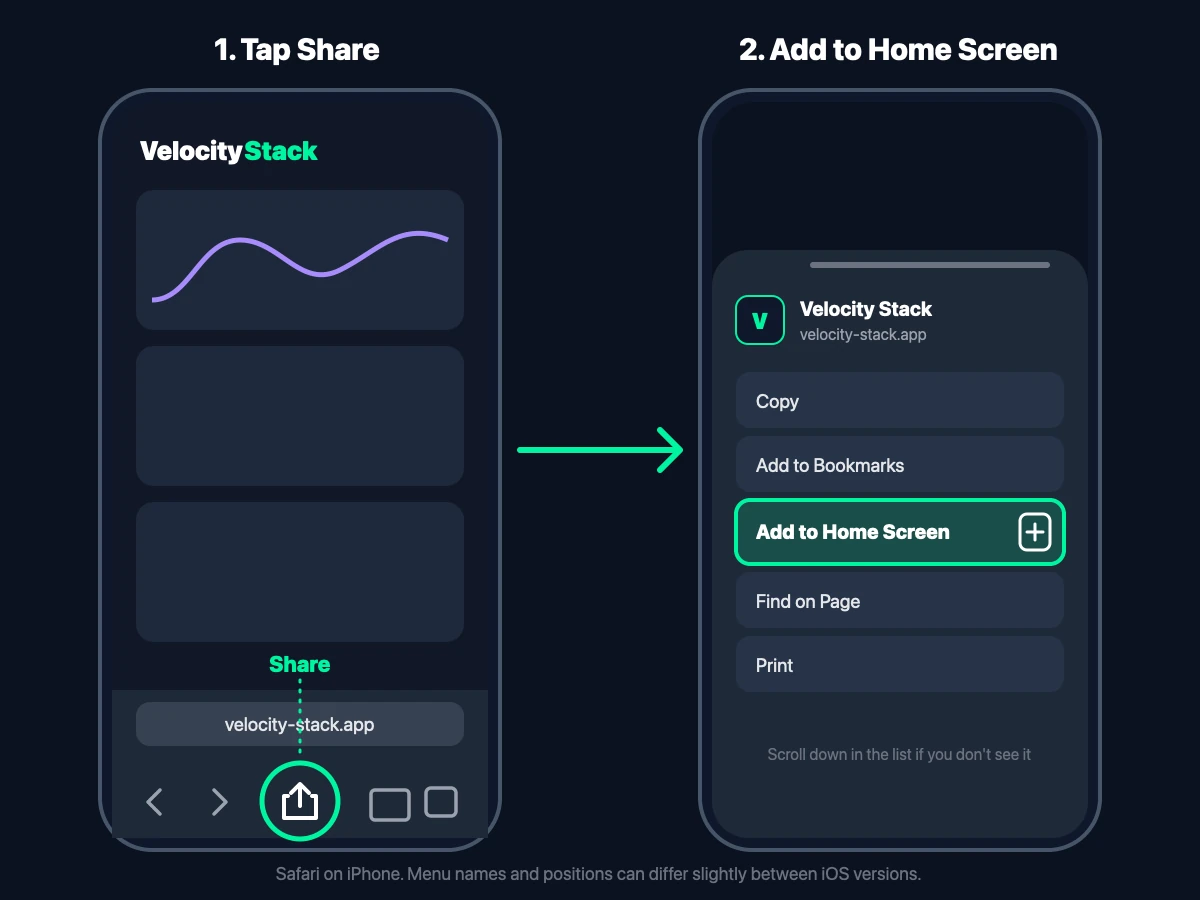
The icon appears on your home screen. Open Velocity Stack from there and it runs full screen, without the browser bars.
Android#
Use Chrome.
- Open velocity-stack.app and log in.
- Tap the three-dot menu in the top right.
- Tap Install app, or Add to Home screen if you don't see that.
- Confirm.
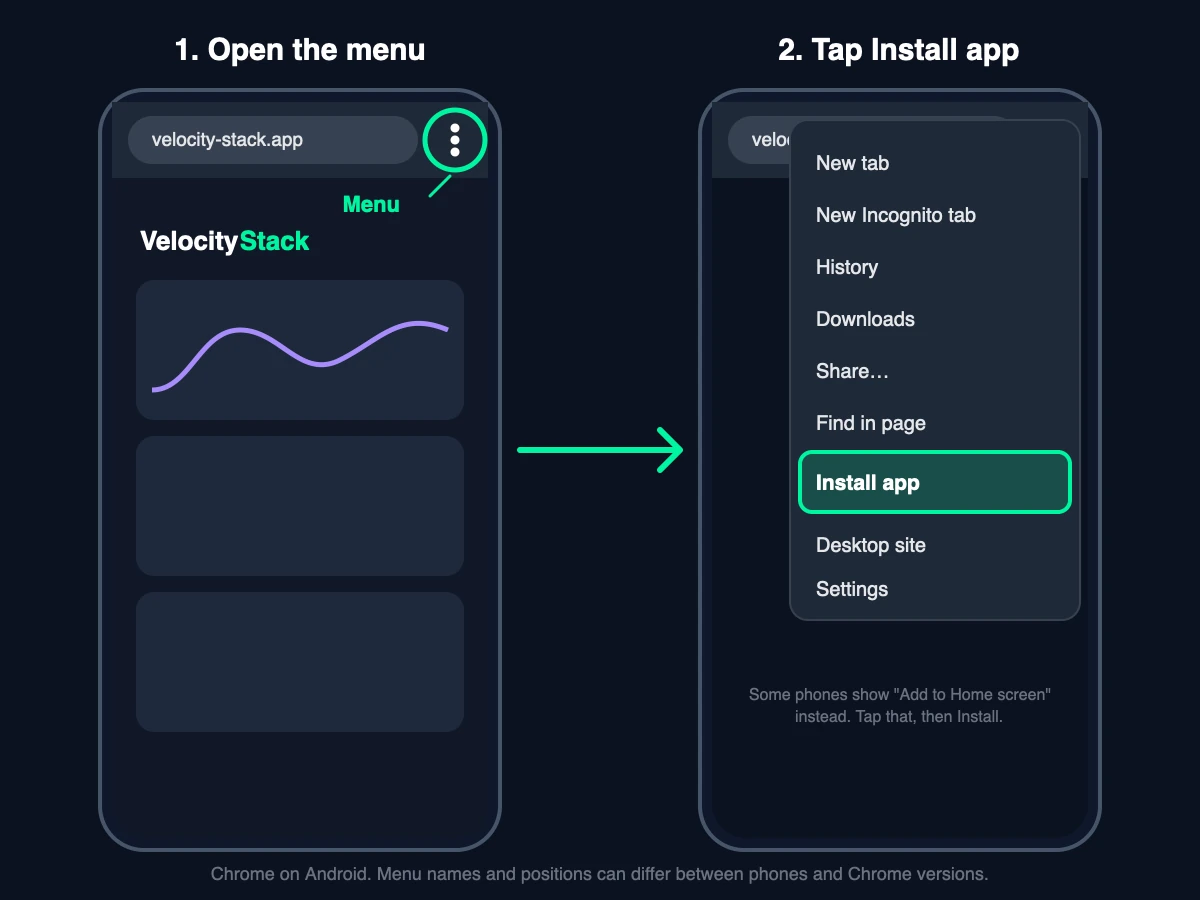
Other Android browsers have a similar entry in their menu.
Why bother#
- One tap to open. No address to type, no tab to find.
- Full screen. It looks and feels like an app.
- Notifications on iPhone. Pop-up notifications only work when the app has been added to the home screen and opened from there. This needs iOS 16.4 or newer.
If you can't see the option#
- On iPhone, check that you're in Safari and not inside another app's built-in browser.
- On Android, update Chrome and reload the page.
- On either, open the page in the full browser and not from a link inside another app.
If it still doesn't work, tell me what phone and browser you're on and I'll look into it.
Related posts
- A Strava alternative for riders who want to analyse their power · 12 November 2026
- How to link Fitbit to Strava, and then to VelocityStack · 12 November 2026
- How to export your Strava data (and keep your rides) · 12 November 2026